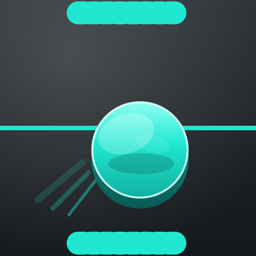
Audio Showdown
Showdown is a blend of air hockey and ping pong played on a large wooden table. Audio Showdown recreates that game on iPhone with clear stereo sound and touch — minus the painful part where the puck slams into your knuckles.
Download on the App StoreRequires iPhone with iOS 17.6 or later. Works with iPhone speakers, wired headphones, Bluetooth headphones, and AirPods. Headphones provide the clearest left-to-right movement.
Played by ear, not by sight
Audio Showdown was built from the start to be played without looking at the screen. The puck moves left and right across the stereo field. It gets louder as it comes closer to your goal, and danger cues speed up when it is heading your way. You track it, you meet it, and you send it back.
The whole game — menus, settings, matches, and the practice mode — works with VoiceOver.
Stereo puck tracking
Hear exactly where the puck is as it crosses the table, with volume and pitch that respond to distance.
Direct Touch play
Drag your finger on your half of the table to move your paddle. Your paddle stays under your finger.
Deeply adjustable audio
Tune puck sound style, pulse speed, reverb, pitch behaviour, paddle slides, and strike sounds to taste.
Haptics
Feel hits, walls, and goals through the iPhone's haptic engine, with adjustable intensity.
Nine colour themes
High contrast schemes including white on black, yellow on navy, teal on charcoal, and more.
Set your own challenge
Adjust opponent skill, game speed, and puck size to find a match that suits you.
How a match works
- Use your iPhone speakers or put on headphones, then hold your iPhone in portrait. Your goal is at the bottom of the table, the computer's goal is at the top.
- When it is your serve, touch your half of the table to place the puck. Keep your finger down, then swipe through the puck to serve.
- Listen for the puck moving left and right. Drag your paddle to meet it and smack it back toward the computer's goal.
- Double-tap the table at any time to pause. The pause screen opens outside Direct Touch, so standard VoiceOver controls work normally.
If you use VoiceOver, use the rotor to turn on Direct Touch for Audio Showdown. Once the match starts, the table becomes a Direct Touch play area.
The rules
Showdown. Goals are worth two points. First to eleven wins, but you need a two-point lead. Each player gets five serves before service changes. A very hard hit can strike the center board — that is a Board Ball, the other player gets one point, and the next serve begins.
Air Hockey Mode. A simpler rule set you can switch on in Settings: goals are worth one point, serves alternate after each goal, and first to seven wins.
Practice without pressure
There is a free-play mode called Where the duck is the puck? Drag the puck around the table, listen to how it moves and how it changes as it travels, and get comfortable with the sound of the game before you play a real match. Nothing is scored. Double-tap the table when you are done.
Accessibility
- Fully playable without vision, using audio and touch alone.
- Complete VoiceOver support across every screen, with a Direct Touch play area during matches.
- Nine high-contrast colour themes for players with low vision.
- Adjustable haptics, including an option to turn them off.
- Independent volume controls for the puck, paddle slides, strikes, and centre crossings.
- Speech announcements for serves and scores.
Support
For help with Audio Showdown, bug reports, and feature requests, visit the Audio Showdown Issues page on GitHub.
For direct feedback or questions, email marco@marconius.com.